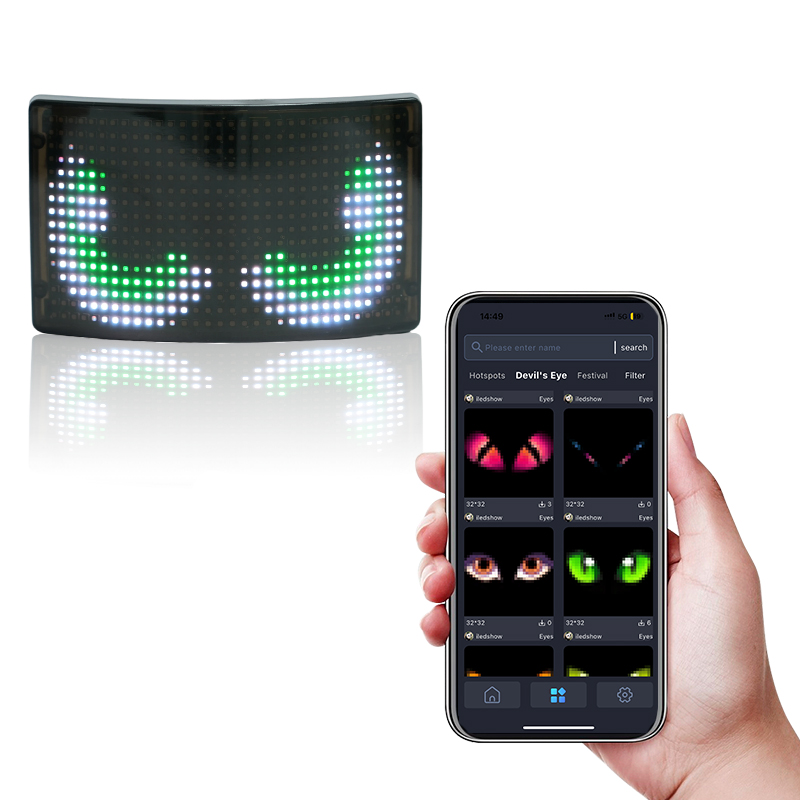
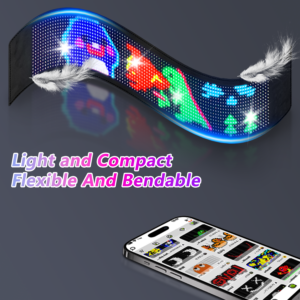
A programmable LED display is a screen that can show content selected by the user. Unlike a fixed printed sign, it can display different text, pictures, symbols, colors, and animation effects. This makes programmable LED products useful for backpacks, car signs, shop displays, warning panels, creative gifts, badges, and custom promotional products.
The display area is usually built from an LED matrix. Each LED works as a small light point. When many light points are arranged in rows and columns, the screen can form letters, patterns, simple images, and motion effects. The number of pixels affects detail. A higher-resolution display can show smoother graphics, while a lower-resolution display may be enough for short text or simple icons.
A control board manages the display content. It receives data from an app, USB file, Bluetooth connection, WiFi connection, memory card, or computer software. After receiving the content, the control board tells the LEDs when to turn on, what color to show, and how the content should move. The control board is one reason why two displays with similar appearance may work very differently in daily use.
Software is what makes the product convenient. A simple app may allow users to type text, choose colors, upload pictures, select animation effects, and save several messages. For business buyers, software support can be as important as the screen itself. Staff may need to update messages quickly during events, in retail stores, or across multiple vehicles. If the app is hard to use, the product becomes less practical.
Power supply affects brightness and working time. Small products may use rechargeable batteries or USB power. Larger displays may need a stable DC power source. Portable products need a balance between brightness, battery size, and weight. Vehicle products need safe cables and compatible voltage. Outdoor products need better protection around power ports and connectors.
The product structure depends on the application. A programmable display built into a backpack needs a lightweight shell, comfortable wearing structure, and protected electronics. A shop display may need brackets or hanging holes. A car display may need suction cups, adhesive mounts, or another stable fixing method. The screen effect is only one part of the product; the structure decides whether it can be used reliably.
Content format is another point to confirm before buying. Some products support text only. Others support images, GIF-style animations, or custom patterns. If the display is used for a company logo, the buyer should check whether the logo can be shown clearly at the available pixel resolution. A detailed logo may need to be simplified so it looks clean on an LED matrix.
For custom orders, communication should start with the use case. The buyer should explain where the display will be used, how large it should be, what content it needs to show, how long it should run, and whether it needs app control. These details help the supplier choose the right LED matrix, controller, battery, shell, and software solution.
Programmable LED displays are flexible because the same hardware can show different content. To choose the right product, buyers should compare pixel resolution, brightness, control method, app support, battery life, installation method, and customization options. A good display should be easy to update, easy to install, and reliable in the environment where it will be used.
Buyers should also ask how content is stored. Some products keep the last uploaded message after power is turned off, while others may require reconnecting or reloading content. For shop signs, vehicle signs, and event products, this detail affects daily use. A display that keeps saved content is usually easier for staff who do not want to set up the screen every morning.
For resale or OEM projects, documentation matters. The product should come with clear instructions for charging, pairing, uploading content, cleaning, and troubleshooting. If the buyer plans to sell the display under a private label, the manual and packaging should be checked during sample approval. Good documentation makes the product feel more complete to the final customer.
After receiving a sample, test several types of content instead of only one message. Try short text, longer text, a logo, a simple icon, and a moving effect. This shows the real limits of the display and helps the buyer decide what content style should be recommended to end users.
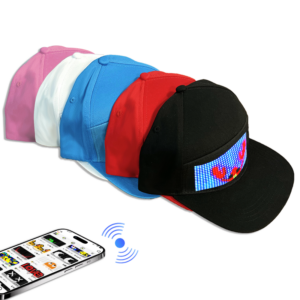
Step into a new era of headgear with the LED Baseball Cap, where style meets innovation in an unprecedented way. This cutting-edge accessory seamlessly integrates advanced LED technology with classic design, offering unparalleled customization ...
Today is a special day for Iledshow—they are moving into their new home! After months of preparation and hard work, the team is excited to start this fresh chapter in a brand-new space. The new location is brighter, more spacious, and perfectly...
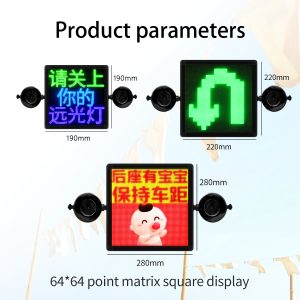
Car LED message displays are used for advertising, warning messages, delivery services, ride-share vehicles, fleet branding, and personal decoration. They are useful because the message can be changed without replacing a printed sign. Still, inst...
Step into the future of automotive innovation with the LED Flexible Car Display, a revolutionary addition to modern driving aesthetics. Designed to adhere seamlessly to your rear and side windows, this cutting-edge display transforms your vehic...
 iledshow